
A Horror Game Created in Minutes: How I Built an AI-Powered Horror Trivia Game with Bluehost AI Builder
#Sponsored by Bluehost
Can you create an interactive horror trivia game with AI, even if you have no programming experience? I put Bluehost AI Builder to the test and turned a simple idea into a creepy, playable trivia experience featuring 15 questions, lifelines, and increasing difficulty.
There is something fascinating about the way artificial intelligence is changing the creative process. Not long ago, building a website, developing a game, or creating a web app usually required technical knowledge, specialized software, plenty of time, and sometimes a significant budget. Today, much of that process can begin with a single sentence.
AI tools are opening up new possibilities for creators, but I wanted to see how far they could go. Could I turn a rough idea into an interactive horror game in just a few minutes, without writing a single line of code?
To find out, I tried Bluehost AI Builder, a tool that uses artificial intelligence to help users create websites and web applications. Instead of starting with code, design software, or complicated settings, I described what I wanted to build and let the AI take it from there.
Naturally, I wanted to try something that would appeal to Horror World readers. The result was Dead Million – an original horror trivia game with 15 questions, lifelines, increasing difficulty, and an atmosphere that leaves very little room for mistakes.
What Is Bluehost AI Builder?
Bluehost is an established web hosting company founded in 2003 in Utah, United States, by Matt Heaton and Danny Ashworth. Over the years, it has become one of the best-known names in web hosting, particularly among WordPress users. The company offers hosting, domain registration, and website-building solutions.
With Bluehost AI Builder, it is also moving further into AI-powered website and web app creation. The idea is straightforward: instead of learning how to build a website or application from scratch, you describe what you want in everyday language. The AI then creates an initial version that you can continue refining through conversation.
This isn’t limited to simple landing pages or basic business websites. Bluehost AI Builder is designed to help create web apps – browser-based applications that can include interactive features, forms, and other elements that visitors can use.
In other words, you can build more than a website that simply displays information. You can create something visitors can actually interact with.
What Can You Do With Bluehost AI Builder?
One of the most convenient things about Bluehost AI Builder is that you do not need to arrive with a detailed technical plan. You can start with a natural-language description of your idea, and the system will try to understand what you want to create. It may also ask follow-up questions before getting started.
Once the initial version is ready, you can continue chatting with the AI and request changes. Want to change the colors, add a page, rewrite a headline, or introduce an interactive feature? Instead of searching through menus and settings, you can simply describe what you want.
You can also add your own images, logos, and files, and use an existing website as a source of design inspiration. The result is designed to work across desktop, tablet, and mobile screens, so you do not have to build a separate version for every device.
Another useful feature is the ability to keep editing your website or app after publishing it. You can preview your work, make adjustments, and publish an updated version when you are ready.
Bluehost also provides 24/7 customer support, which can be helpful if you need assistance with hosting, domains, or other technical questions.
Pricing, Credits, and the Free Plan
One of the most appealing things about Bluehost AI Builder is that you can get started without paying, and even without entering your credit card details.
The free plan lets you publish your website or app using a Bluehost subdomain. There is an important limitation to keep in mind, though: websites published on the free subdomain are not indexed by search engines. If you are planning to build a content website and rely on organic traffic from Google, you will need to consider a paid plan and a custom domain. Paid plans start at $20 per month.
Bluehost AI Builder uses a credit system. Requests that ask the AI to create or modify something on your website or app consume credits, while clarification and general questions that don’t result in changes do not. The number of credits available depends on your plan, and you can purchase additional credits if you need them. If you want to use your own domain instead of a Bluehost subdomain, you will need a paid plan.
One more detail is worth mentioning: hosting a published website does not consume AI credits. This means that even if you run out of credits, your published website or app remains available to visitors. You simply need to wait for your credits to renew or purchase more credits before continuing to make changes.
Try Bluehost AI Builder? Get started for $0, with no credit card required
This is an affiliate link, and I earn a commission from qualifying purchases.
Dead Million: A Horror Game Born From One Sentence
So, what did I actually build?
I decided to go with an idea that felt like a natural fit for Horror World: a trivia game based on horror movies, iconic characters, actors, and famous film franchises. My initial prompt was surprisingly short: “Create a unique horror trivia with 15 questions, in Who Wants to Be a Millionaire format.”
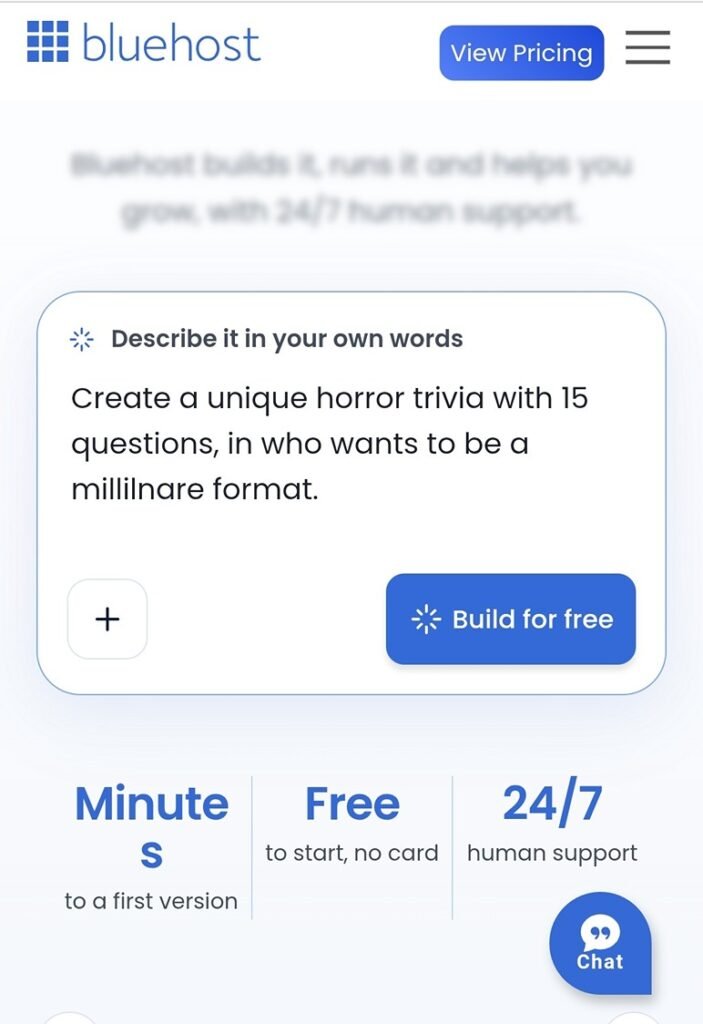
I wanted a game inspired by the familiar TV quiz show, with 15 questions of increasing difficulty, the chance to accumulate money, and decisions to make along the way.
Interestingly, the system came up with its own alternative title: Dead Million. It created a standalone identity that suited the horror theme. I thought it was a clever creative choice.
Within a short time, the game started taking shape. I got a welcome screen, a game interface, 15 automatically generated questions with multiple-choice answers, lifelines, and a scoreboard. It was not just a list of questions and answers. The system had created an interactive game experience, complete with a visual style and text tailored to the horror genre.
One of the things I liked most was how the AI understood the atmosphere I was aiming for. The opening screen featured the line:
“FIFTEEN QUESTIONS. ONE MILLION, NO WAY OUT.”
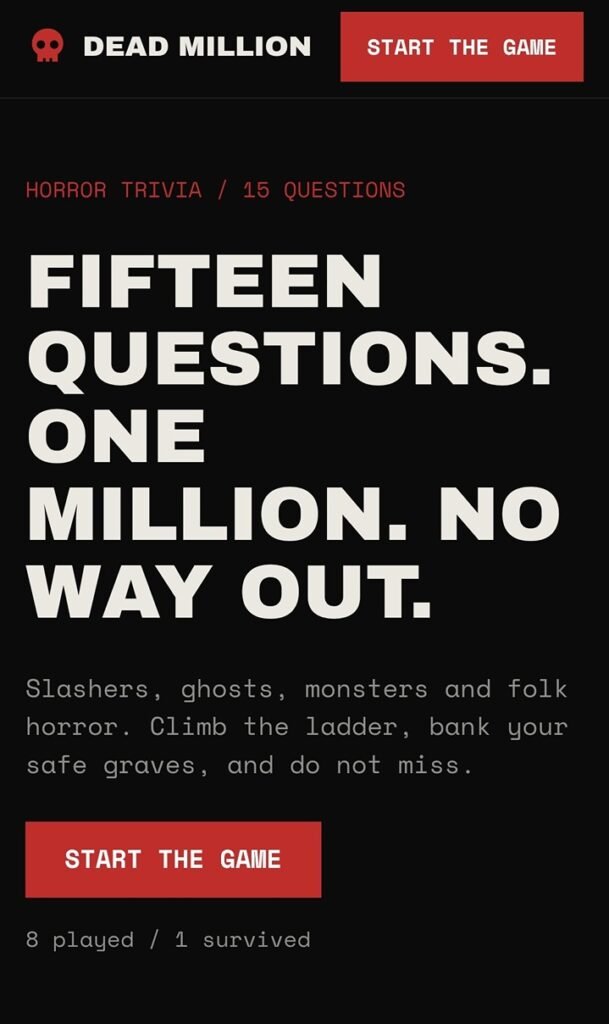
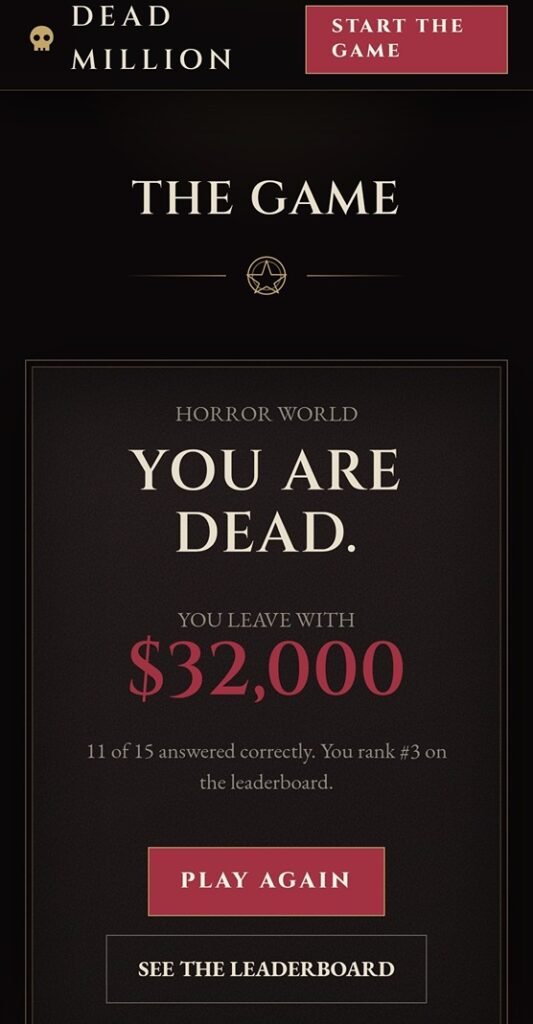
Even the messages displayed during the game received a horror-inspired treatment. Instead of a boring “Game Over” message, players who fail are greeted with the words “You’re Dead.”
It’s these small details that can turn an ordinary trivia game into something that feels like it belongs in a horror movie.
15 Horror Questions, Lifelines, and a Tough Decision
Of course, the content itself is one of the most important parts of any trivia game. I asked the system to arrange the questions in increasing order of difficulty, and it generated 15 questions based on well-known horror movies, franchises, actors, and characters.
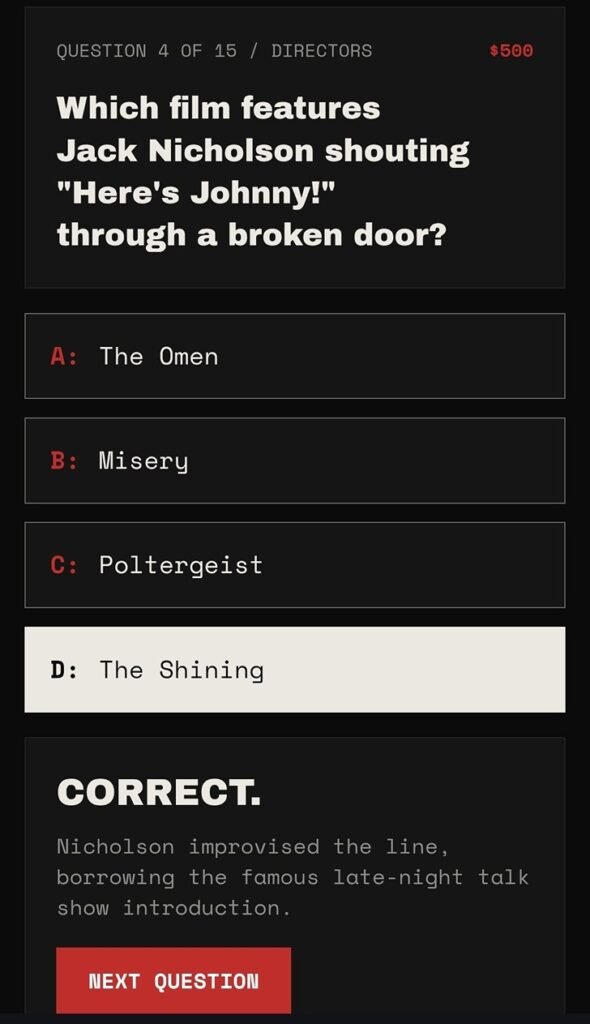
Some of the questions were relatively easy for horror fans. You probably know, even in your sleep (assuming you can still sleep at night), the name of the masked killer from the “Halloween” films, or which movie features Jack Nicholson bursting through a door and shouting, “Here’s Johnny!”
But the questions get harder as you progress. For example, do you remember the name of the island where the British horror film “The Wicker Man” is set? At that point, you need to know more than just the most famous horror movies – you need to remember some of the smaller details, too.
After each answer, the game also displayed an interesting piece of related trivia. For instance, players could learn that Nicholson improvised his famous “Here’s Johnny!” line on set, inspired by Ed McMahon’s introduction of Johnny Carson on television.
To make things more exciting, the game includes several lifelines familiar to fans of TV quiz shows:
❓ 50/50: Removes two incorrect answers.
❓ Ask the Audience: Displays a simulated audience voting breakdown.
❓ Walk Away: Lets players leave with the money they have accumulated so far.
In other words, do you risk moving on to the next question and potentially losing everything, or do you take the money and walk away alive? In horror, of course, making the right decision does not always guarantee survival.
The game also includes a scoreboard, which adds a competitive feel and makes it easy to imagine turning the experience into a challenge among friends. The lifelines were created as part of the game experience, but I did not verify whether every feature uses real user data or a simulated game mechanic. The same goes for persistent score tracking and competition between different players. I did not test whether scores are saved permanently or whether multiple players can compete using shared data.
A Few Simple Instructions, and a New Look
Once the first version was ready, I wanted to see how easy it would be to change the design without starting the entire process again.
I asked the system to make the game look scarier and give it a more vivid, striking appearance. The AI chose a red color palette, which worked particularly well with the atmosphere I had in mind. Instead of dealing with design files, code, or complicated settings, I simply described the change I wanted, and the system updated the interface.
Naturally, there is plenty of room to keep developing the game. I could improve the difficulty, add animations and sound effects, expand the question database, or find new ways to make the experience more competitive and engaging.
But for me, the experiment had already achieved its goal. I had created an interactive game with a distinct concept and a visual style that fits the horror genre – in just a few minutes, without writing a single line of code.
8 More Spooky Ideas You Could Create With AI
Dead Million is just one example of what you can do with a tool like Bluehost AI Builder. For horror fans, the possibilities are especially interesting. AI makes it possible to turn strange, ambitious, and even nightmare-inducing ideas into something people can see, play, and share.
Here are eight more ideas worth exploring:
1. A Digital Horror Magazine
A website dedicated to horror movies, featuring news, reviews, interviews, ratings, director profiles, and pages about famous film franchises. You could give it the look of an old-school horror magazine or go for a modern, dark design.
2. A Movie Monster Dictionary
An interactive database of movie monsters, killers, supernatural creatures, and horror characters. Each entry could include a background story, abilities, appearances, and even a danger rating.
3. A Horror Movie Memory Game
A game in which players match pairs of images, characters, or movie titles. You could start with simple levels and gradually introduce harder challenges, time limits, and special features.
4. An Interactive Horror Story Generator
A website where users choose a character, location, and situation, then receive a horror story that develops according to their decisions. You could even create multiple endings, allowing each choice to influence the story.
5. A Horror Role-Playing Game
Imagine waking up inside an abandoned house, with several possible actions and a series of decisions to make. Do you open the door? Go down to the basement? Try to escape through the window? Every choice could lead to a different outcome.
6. A Horror Killer Ranking and Comparison Tool
Who is the scariest killer in horror cinema? Who is the strongest, the fastest, or the one who has terrified audiences across the most movies? You could create rankings, quizzes, and comparisons between iconic characters.
7. A Personality Quiz: Which Horror Movie Is Right for You?
Users answer a series of questions about their preferences, and the system recommends a horror movie based on their answers. Do they prefer psychological horror, slashers, monster movies, or supernatural stories?
8. A Horror Puzzle or Escape Room
Create an experience in which users solve puzzles, crack codes, find clues, and progress through a series of rooms. As they move forward, the challenges become more difficult, and the story behind the location is gradually revealed.
All of these ideas can begin with a description in natural language. Of course, the actual complexity and functionality will depend on the project and what the system can successfully build and implement.
Should You Try Bluehost AI Builder?
My experience with Dead Million was relatively short, but definitely positive. It showed me just how much potential AI-powered website and web app creation has.
I did not need to learn a programming language, set up a development environment, or plan every detail of the interface in advance. I gave the system an idea; it produced a surprisingly impressive first version within minutes, and I could continue improving it through simple instructions.
That said, remember that generating an initial version does not guarantee every feature will work exactly as intended. For more complex projects, test functionality, data storage, user experience, and responsiveness across different devices before inviting people to use your product.
It is also worth clarifying what Bluehost AI Builder is. It is designed to create websites and web applications that run in a browser, rather than native apps that users download from Google Play or the App Store. It is not intended for building online stores or processing payments either; Bluehost offers a separate solution called AI Store for that purpose.
My conclusion? If you can create interactive apps in a short time, with almost no technical work, it is hard not to start thinking about all the other things you could build. Maybe a more elaborate horror game, an interactive magazine, or even an entire world of spooky experiences.
And beyond horror, this experiment highlights an interesting opportunity for content creators, website owners, and small business founders. Instead of publishing articles alone, you can create interactive tools, games, and digital experiences for your audience. A content website can become something visitors do not just read – it can become something they participate in.
The only thing I still haven’t managed to create with AI is a way to guarantee that you won’t need to sleep with the lights on after playing.
Try Bluehost AI Builder – Start for $0, No Credit Card Required
Disclosure: This article was created in partnership with Bluehost as part of a paid content campaign. I also earn a commission from qualifying purchases made through the affiliate links in this article.